Construction projects.
Finally in flow.
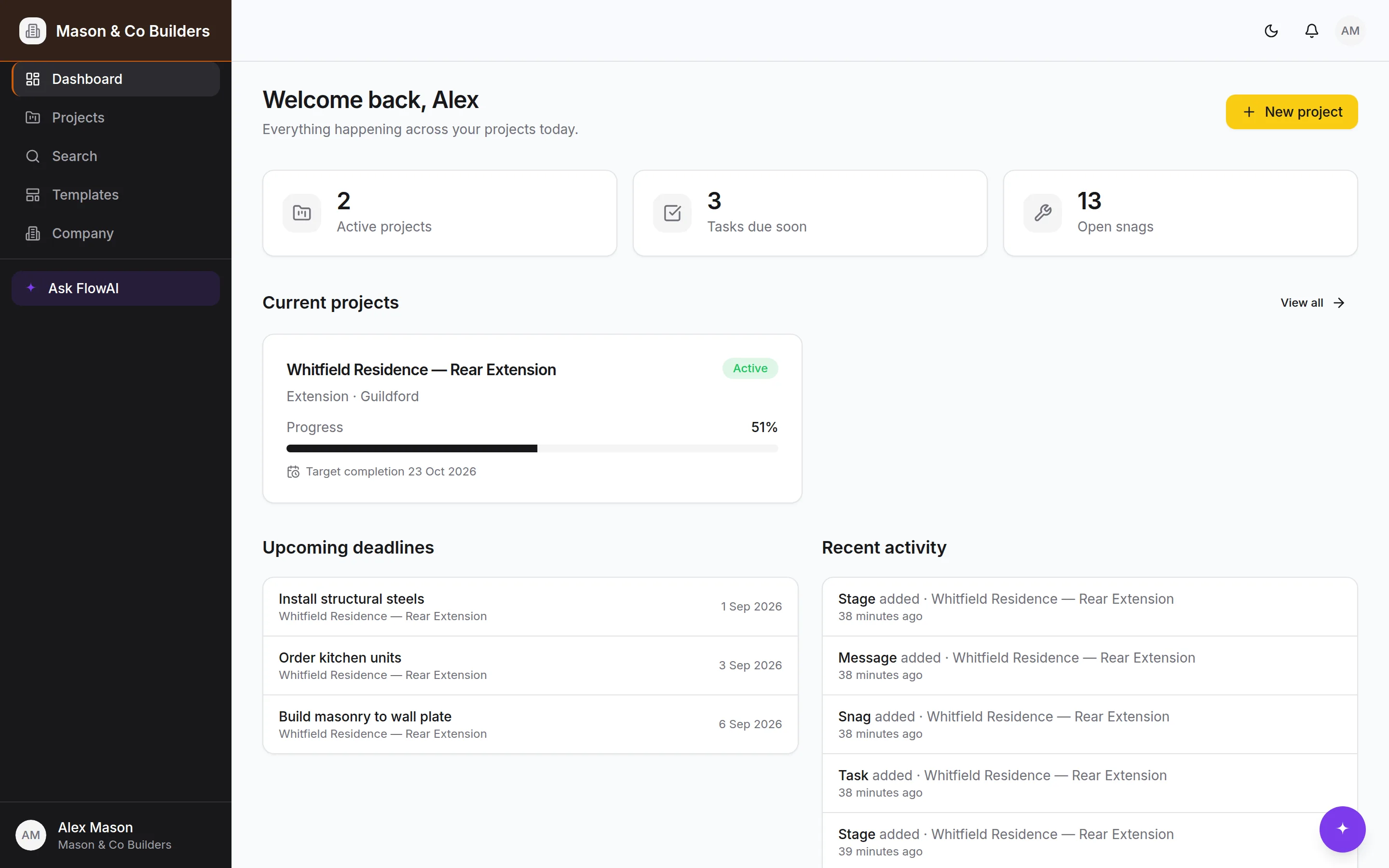
One place for the programme, the site, the paperwork and the client — with an AI assistant that knows the job and does the admin.
One project free, forever. No card needed.
Built for how a job actually runs
Not a generic project tool with construction words pasted over it. The stages, the inspections, the snag list and the handover pack are the real ones.
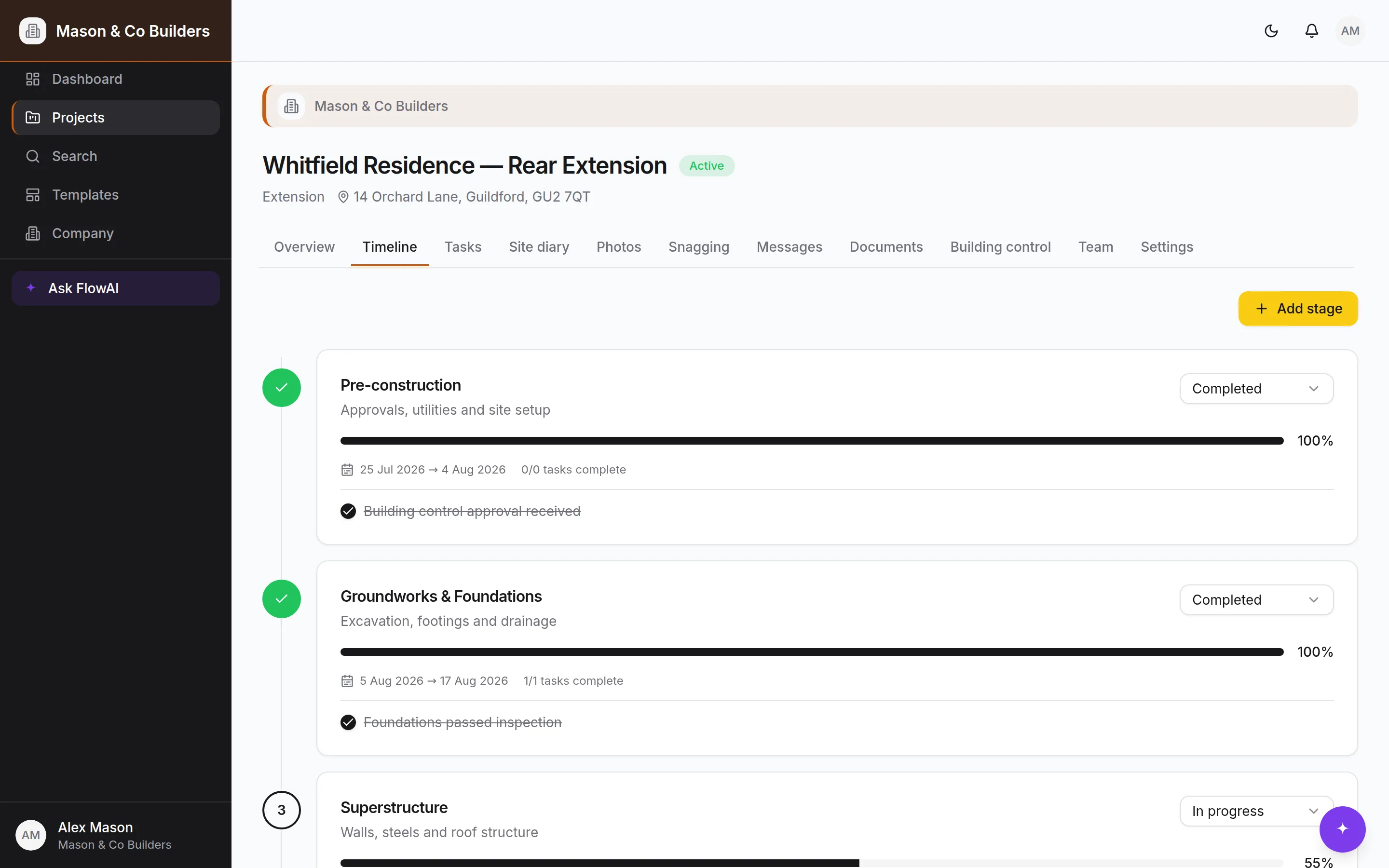
Programme & tasks
Stages, milestones and building-control inspections generated from a template in one click, then moved about as the job changes.
Progress photos
Filed by room, trade and stage as they're taken, so the before, during and after is there without anyone building an album.
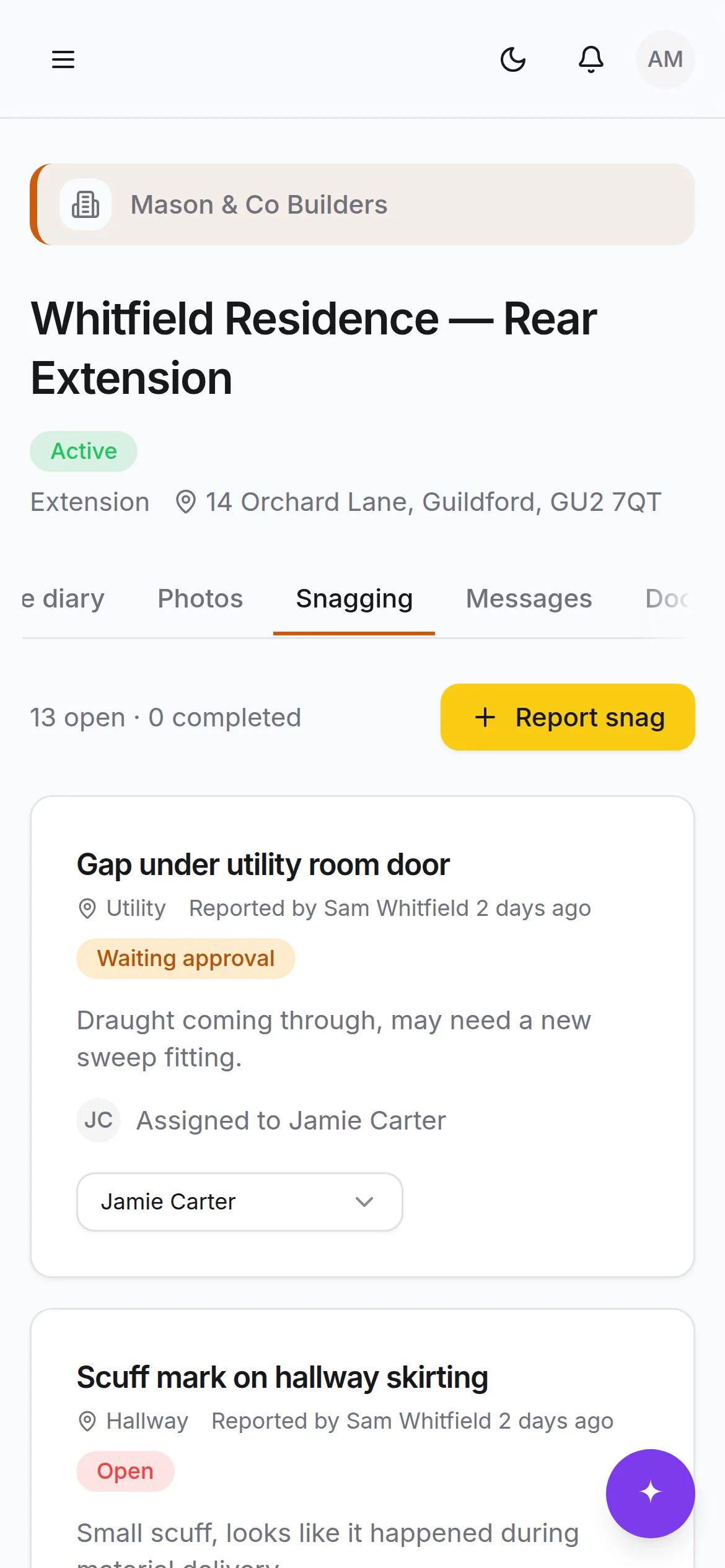
Snagging & sign-off
The client raises a snag with a photo, your team fixes it, the client confirms. Every step timestamped and attributable.
One thread per job
Decisions and approvals in a categorised project thread instead of three WhatsApp groups and a text nobody can find again.
Documents & handover
Contracts, drawings and certificates versioned in place, and the digital handover pack assembling itself as you go.
Clients join by QR
Scan the code on the site board, make an account, land inside the right project. No invite chasing, no shared logins.
An assistant that has read the whole job
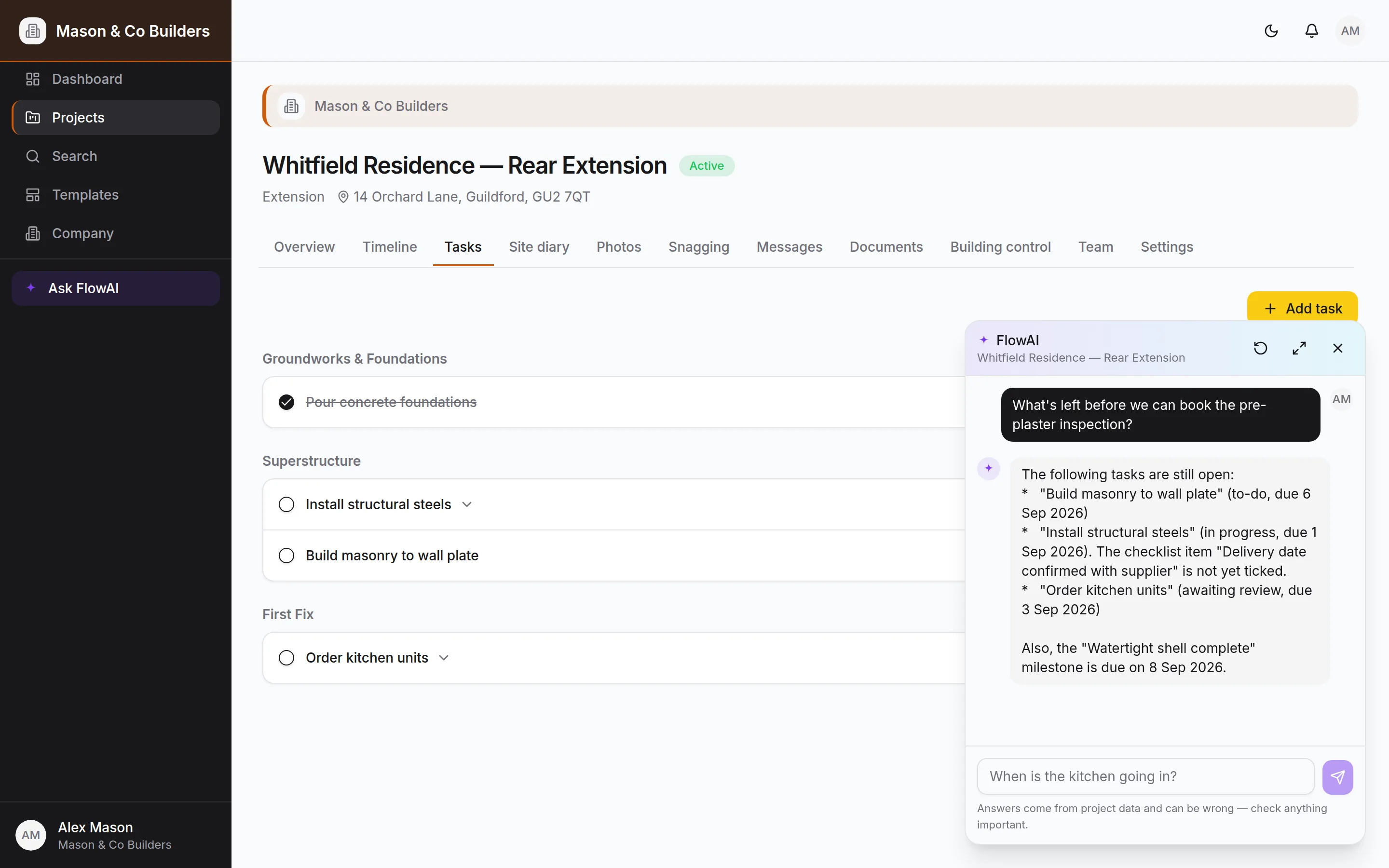
Pinned in the corner of every screen. Ask it what's late, who's on the kitchen, or what's left before the pre-plaster inspection — and it answers from your project, not from the internet.
- Reads the programme, tasks, snags, documents and diary
- Makes changes on your say-so — and shows you the record first
- Drafts a whole project from a proposal or programme you upload
- Runs to a monthly budget you set, so it can never surprise you
Set up on Monday. Running by Tuesday.
Most builders have their first job on in under half an hour.
Set the job up in minutes
Pick a template — extension, loft, new build — and BuildFlow lays out the stages, tasks, milestones and inspections. On Pro, hand FlowAI your own proposal or programme and it drafts the whole thing from the document.
Run it from site
Photos, diary entries and snags go in from a phone in the yard. Statuses change as work moves. Everyone on the job sees the same programme, not a version emailed on Tuesday.
Hand over with the paperwork done
Certificates, sign-offs, warranties and the photo record are already filed against the job. The handover pack is a click, not a fortnight.
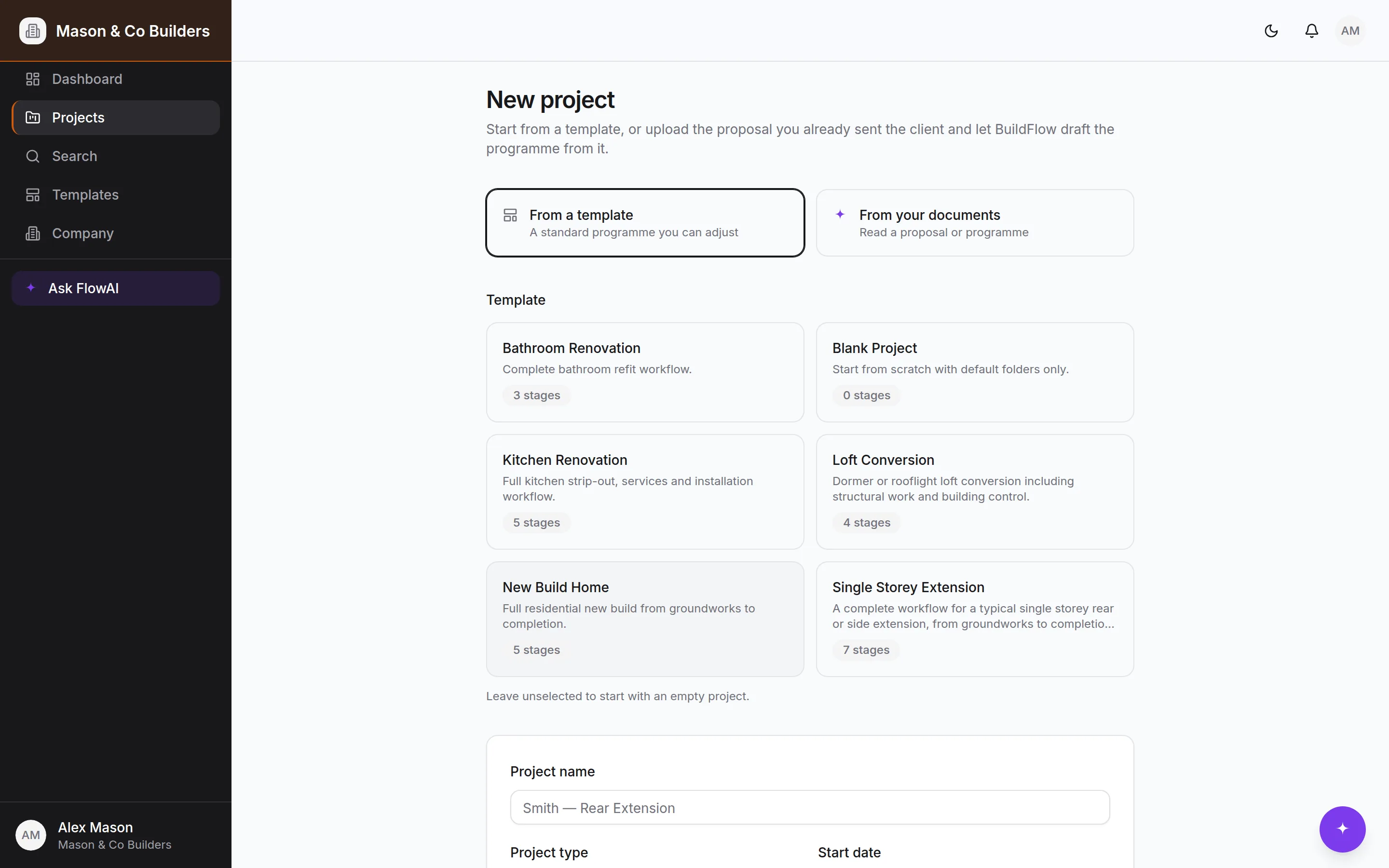
Step one, as it actually looks.
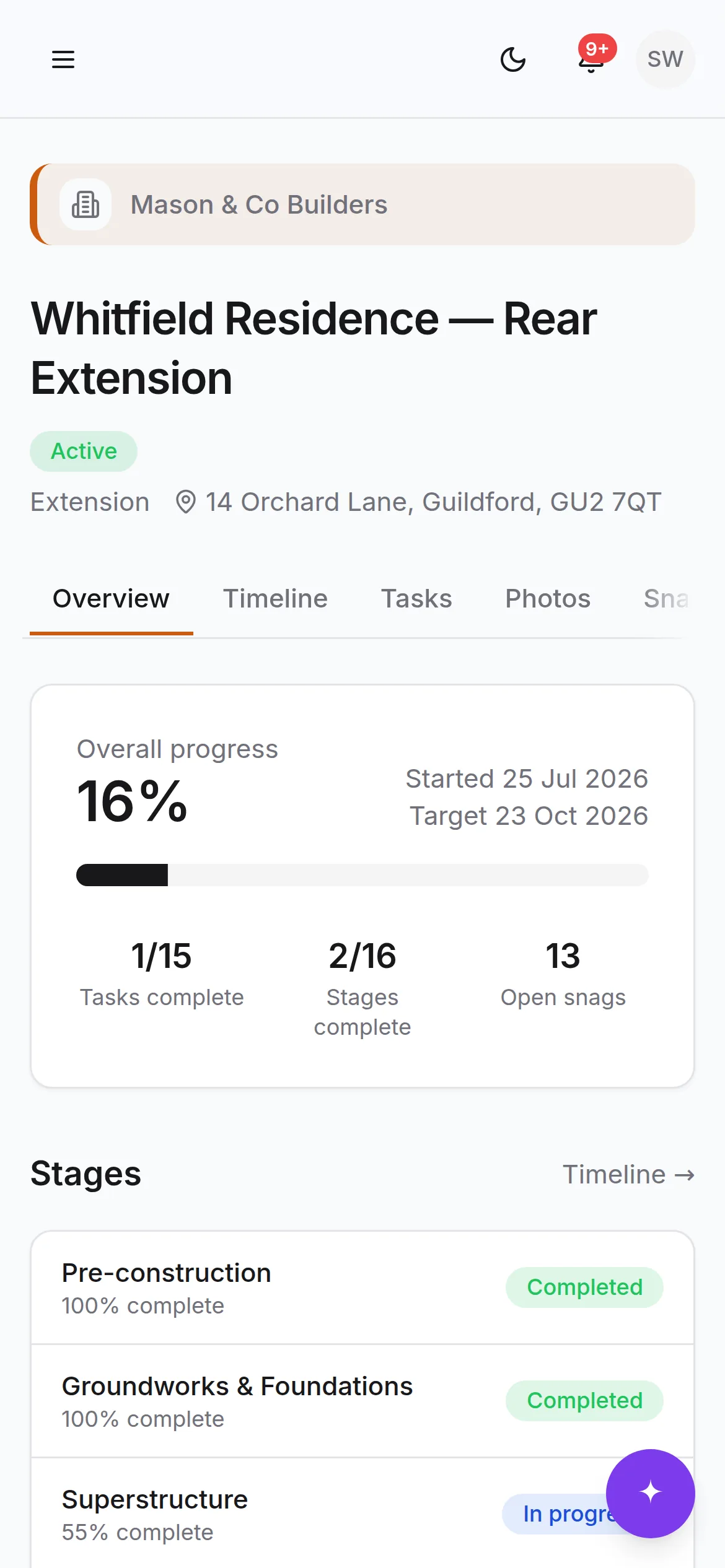
The “any update?” text, answered before it's sent
Clients get their own view of their own job: progress, photos, what's happening this week, what needs a decision from them. They see what you choose to show them and nothing else — your costs, your site diary and your team's internal notes stay yours.
What clients seeEveryone on the job, on the same programme
Site managers, employees and subcontractors each get the access their role needs. Work is assigned to a person, not to a group chat. The diary, the photos and the snag list build the record of the job as it happens — which is the thing you want when a question comes up eight months later.
Roles that mean something
Owner, admin, employee, subcontractor and client — enforced in the database, not just hidden in the interface.
Built for a phone
Every screen works one-handed on site, with an offline page for when the signal goes.