Everything a job needs. Nothing it doesn't.
BuildFlow covers the programme, the site, the paperwork and the client. Here's the whole of it, with screens from the real product.
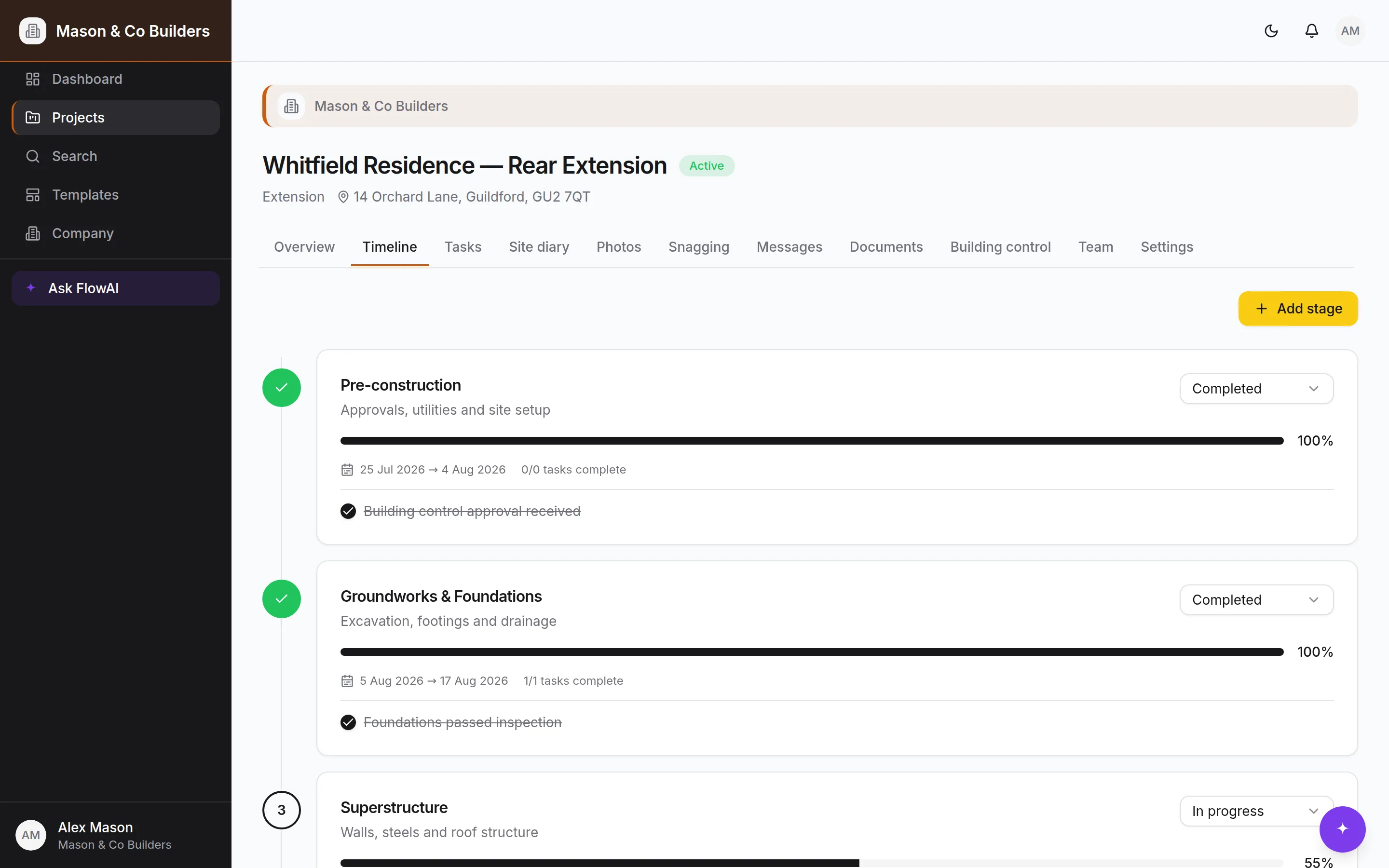
A timeline that survives contact with the job
Pick a template — extension, kitchen, loft conversion, new build — and BuildFlow generates the stages, tasks, checklists, milestones and the building-control inspection schedule in one go. From there it's yours: reorder stages, move dates, add what the drawings turned up. Save any project back as a company template so the next one starts from what you actually did.
- Ordered stages with status, completion and real dates
- Milestones that clients can see, and ones they can't
- Company templates built from a job that went well
Tasks assigned to a person, not to a group chat
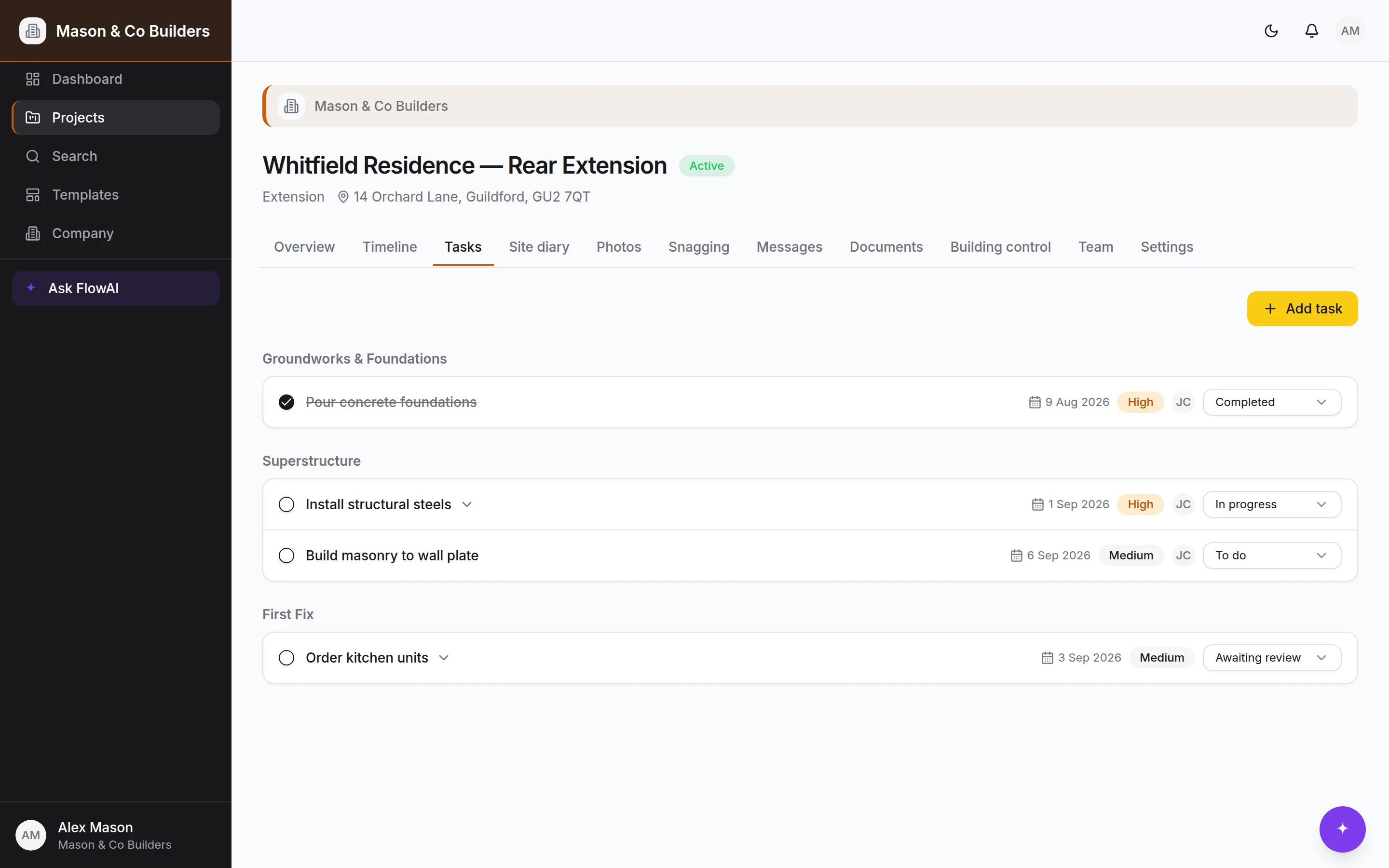
Every task sits under a stage with a priority, a due date, an assignee and a checklist. Statuses move through to-do, in progress, blocked, awaiting review and complete, so a job waiting on somebody looks different from a job nobody has started.
- Checklists inside a task for the fiddly ones
- Comments on the task rather than in a thread
- Due dates that surface on the dashboard before they bite
The record of the day, written on the day
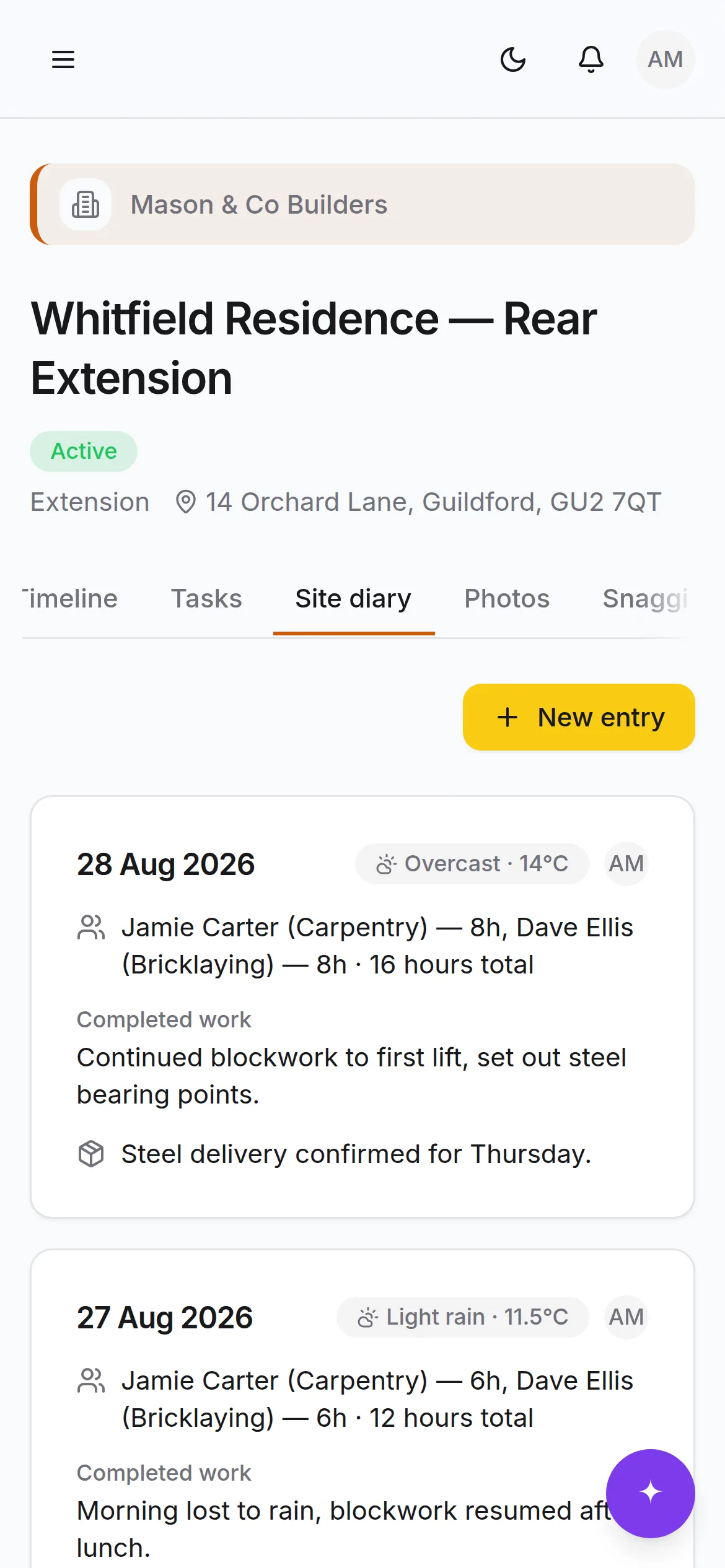
Weather, who was on site and for how long, what got done, what went wrong, what was delivered, who visited. Diary entries are permanent once written — that's what makes them worth something when a question comes up eight months later. Clients never see the diary.
- Weather, hours, deliveries and visitors in one entry
- Permanent by design, so the record can be relied on
- Private to your team, always
Inspections and certificates where the work is
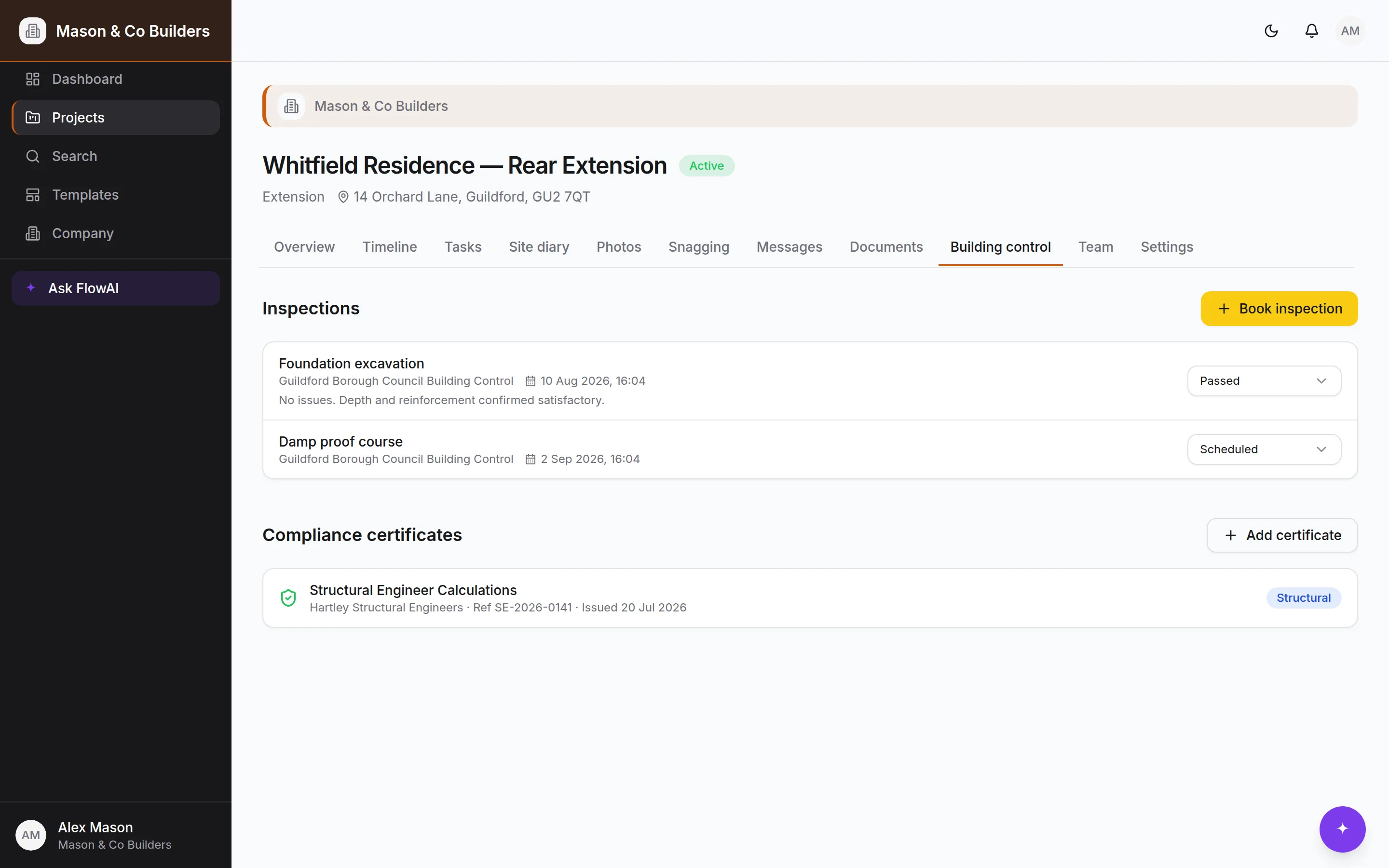
Building-control inspections move through scheduled, passed, failed and reinspection against the stage they belong to. Certificates — electrical, Gas Safe, fire, structural, water, energy, completion — sit alongside them with the issuer, the reference and the date, and remind you before they lapse.
- The inspection schedule generated with the programme
- Certificates filed against the job, not an inbox
- Expiry reminders that arrive in time to act on
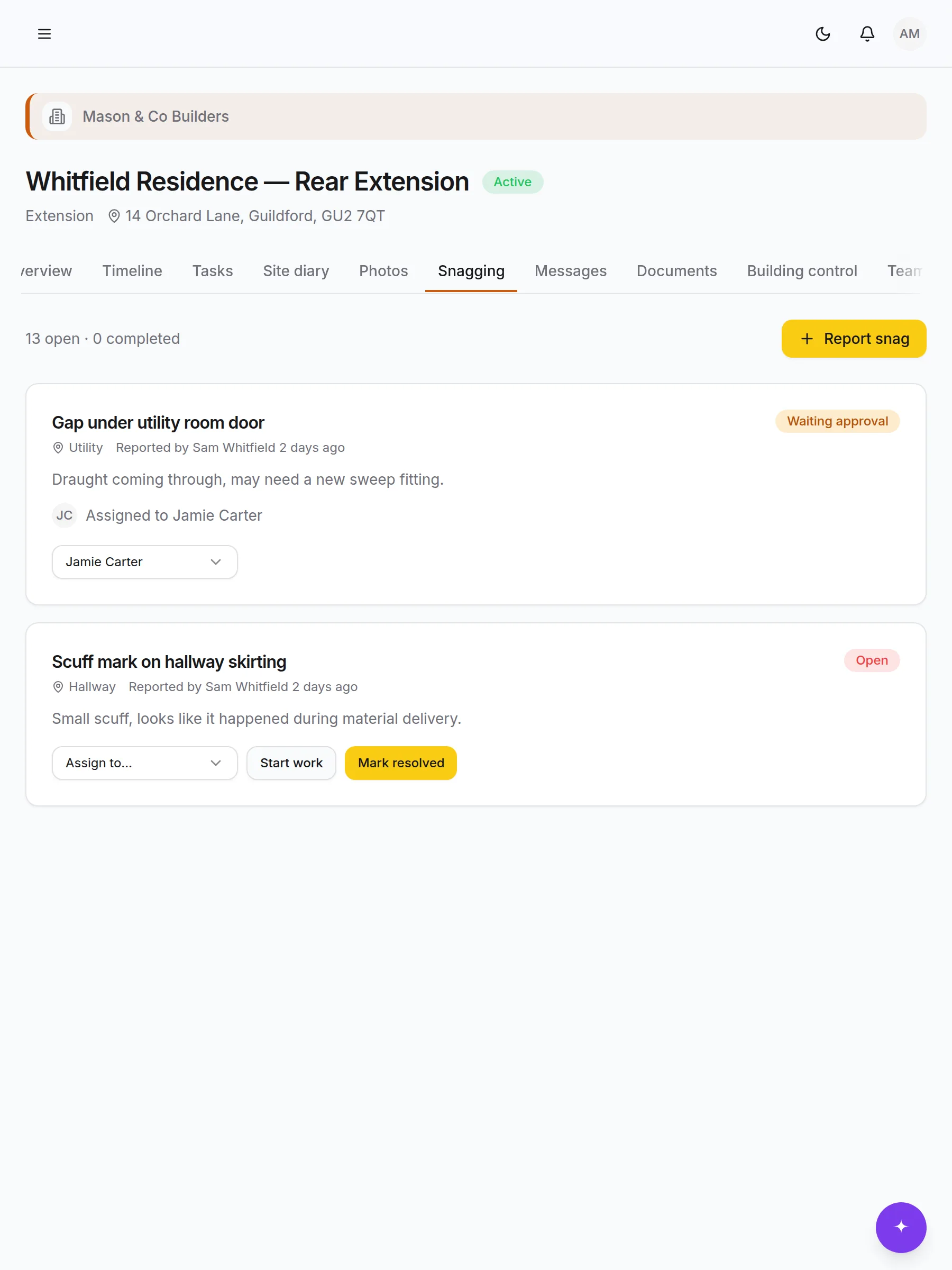
Snagging with an audit trail on both sides
The client raises it with a photo and a room. You assign it. Your team resolves it. The client confirms. Each of those is a timestamped, attributable step, which is what turns a snag list from an argument into a record.
- Raised by clients, assigned by you, confirmed by them
- Filter by status or room without hunting
- Feeds the final snag list in the handover pack
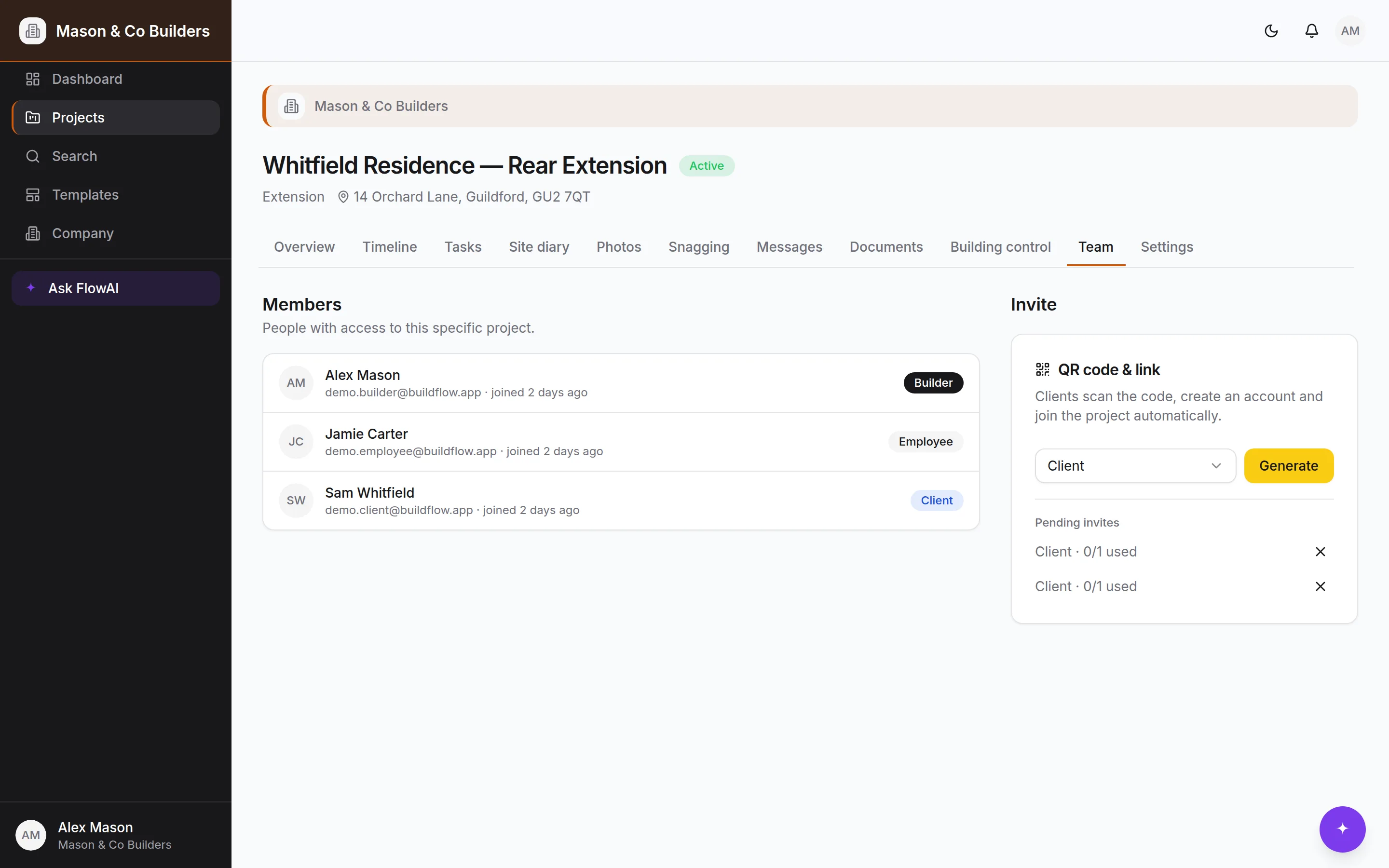
Everyone on the job, with the access their role needs
Site managers, employees and subcontractors are added to the company once and put on the projects they're working. A subcontractor sees the job they're on and nothing else; a client sees less again. Roles are a database rule rather than a hidden menu.
- Owner, admin, employee, subcontractor and client
- Invite the whole company once, then assign per project
- Work assigned to a named person, with a record of it
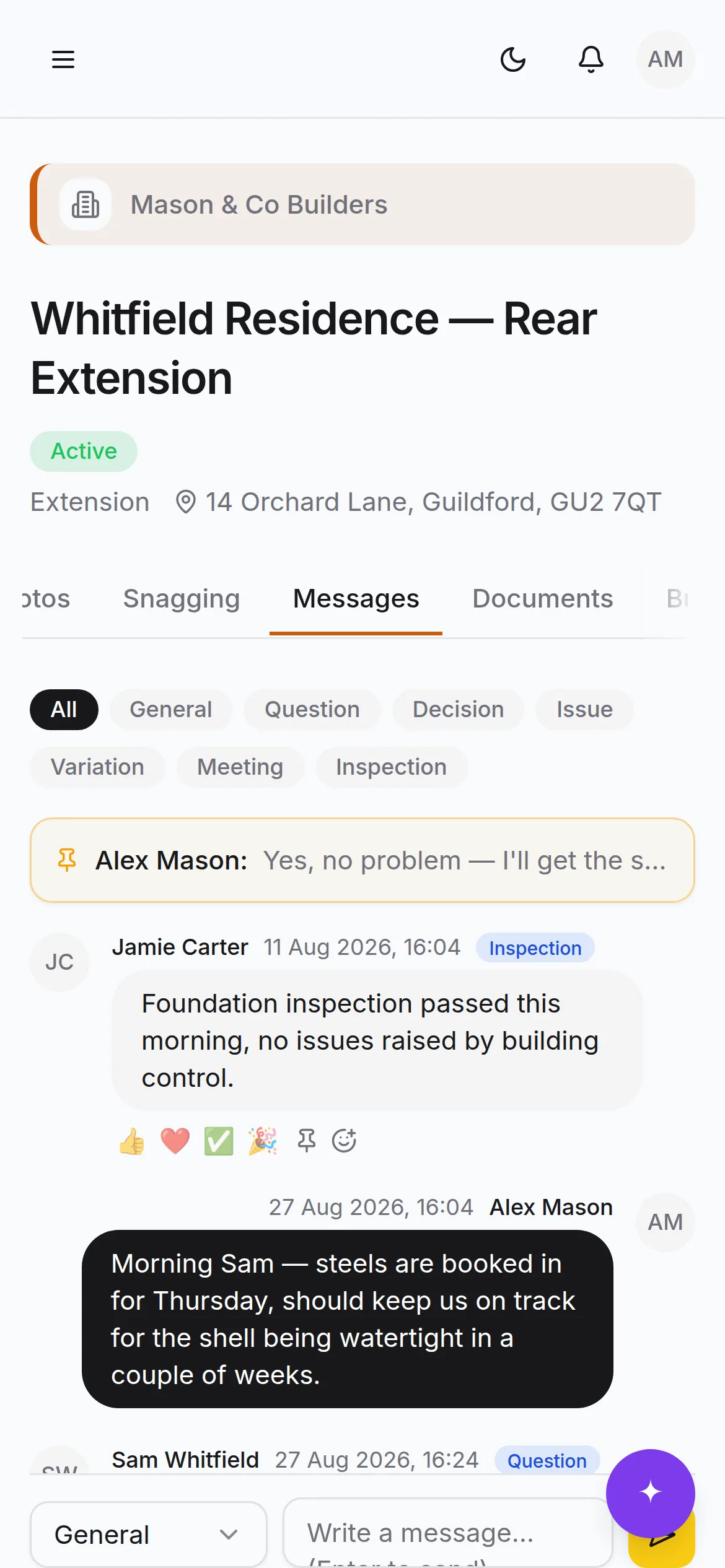
One thread per job, categorised
Questions, decisions, issues and variations in the project thread rather than spread over three WhatsApp groups. Pin the ones that matter, react to the ones that don't need a reply, and search the lot when you need to find what was agreed.
- Categories: question, decision, issue, variation and more
- Pins and reactions, so 'noted' doesn't need a message
- Searchable across the whole project
The parts that only matter when they're missing
None of these are why anybody signs up. All of them are why people stay.
Progress photos
Tagged by room, trade and stage as they're taken, in private storage with signed links. Before, during and completed sit side by side.
Documents with version history
Contracts, drawings and certificates in a proper library. Upload a new version and every prior one stays browsable and downloadable.
Per-document client visibility
Decide document by document what the client can see, and ask them to approve the ones that need approving.
Digital handover pack
One click produces the timeline, milestones, certificates, final snag list, the paint-and-materials spec book and the completed photos.
QR joining
Secure invite links rendered as a QR code, for clients and for team members. Scan, sign up, land in the right place.
Your branding
Your logo and colour on the sidebar, the project workspace and every invite and join screen your clients see.
Role-aware dashboards
Builders get deadlines, activity and approvals across every job. Clients get their job: progress, photos, decisions waiting on them.
Global search
Projects, tasks, messages, documents and people in one box — and scoped to what you're allowed to see, at the database.
Notifications
An in-app centre with an unread badge for approvals, mentions, assignments and anything waiting on you.
Immutable audit trail
Database triggers record who changed what, when, with the old and new values. The log can't be edited, including by us.
Works with no signal
The shell is cached and writes queue locally, replaying when the signal comes back. Sites aren't known for their bars.
Company templates
Save a finished project as a template so the way your firm runs a loft conversion becomes the default, not tribal knowledge.
Client sign-off
Approvals on documents and confirmation on snags, both recorded against a named person and a moment in time.
Wondering whether it does the one thing you need?
Ask us. It's a short list of things BuildFlow deliberately doesn't do, and we'd rather tell you now.