The assistant that has read your whole job
Not a chatbot bolted on the side. FlowAI is given your project — programme, tasks, snags, documents, diary — and answers from it. Ask it a question, or ask it to change something and confirm what it proposes.
Included on Pro — £79 a month and Bespoke.
What you'd actually ask it
These are questions about one specific job. FlowAI can answer them because it has that job in front of it.
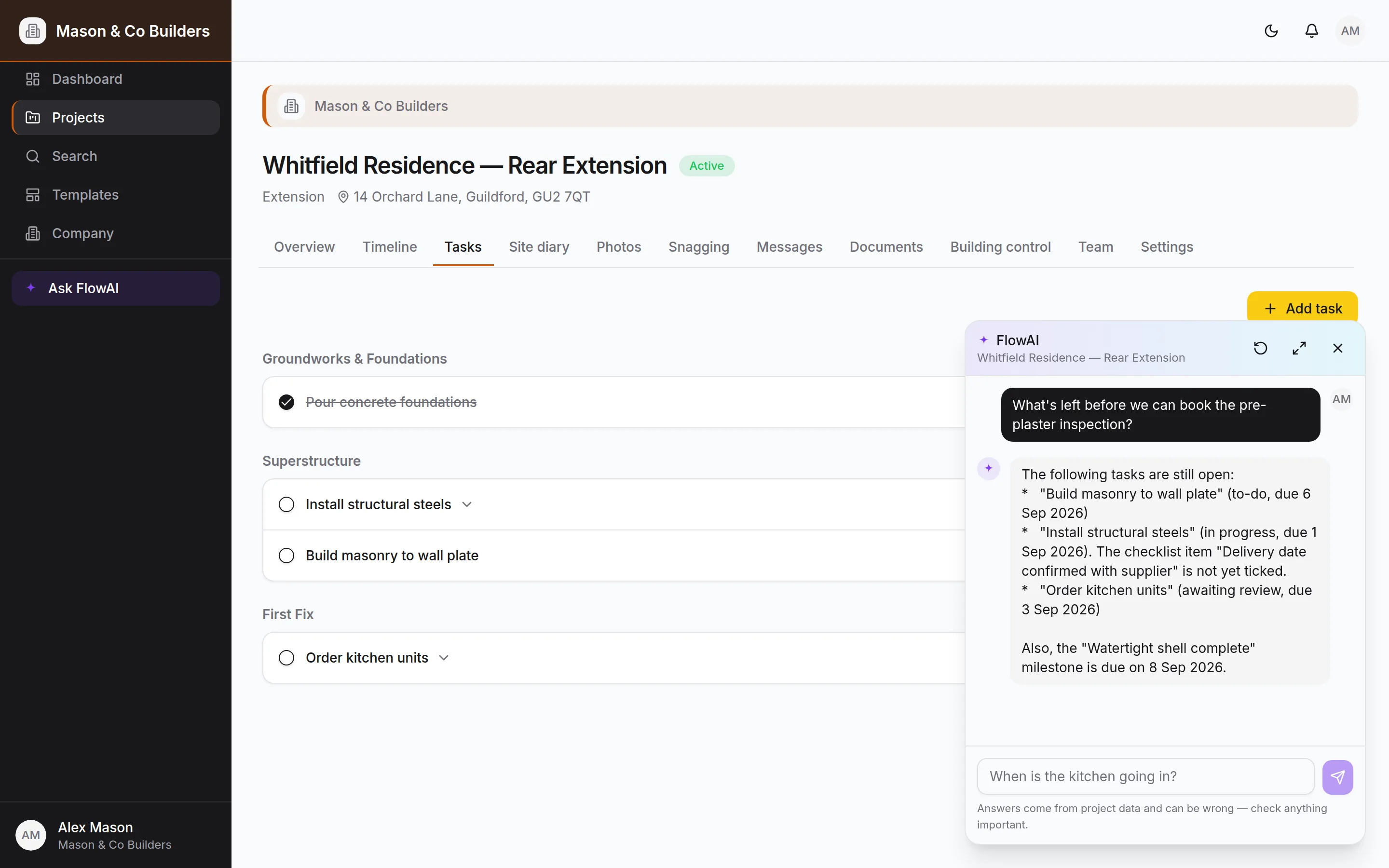
What's left before we can book the pre-plaster inspection?
Reads the stage, its tasks and the building-control schedule, then tells you what's outstanding and who has it.
Which snags are still open in the kitchen?
Filters the snag list by room and status rather than guessing from a title, and names who each one is assigned to.
Move the plastering milestone to the 14th
Comes back with a confirmation card naming the milestone as the database has it. Nothing moves until you tap Confirm.
Post a note to the client that the steels are in
Drafts the message, shows it to you, and posts it to the project thread under your name once you say yes.
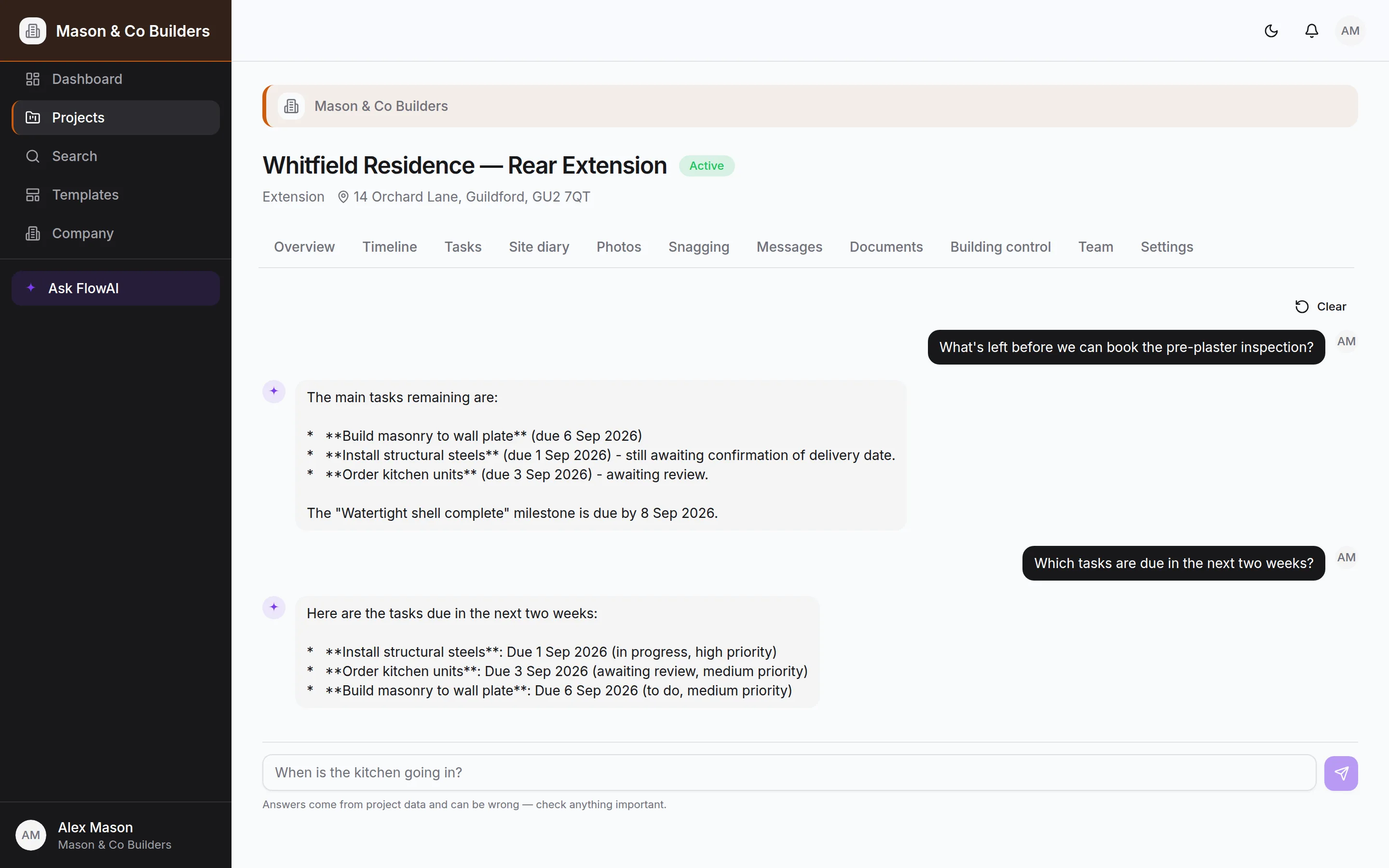
Real answers from a real project — not a mock-up.
Four things, done properly
FlowAI has a deliberately small job. It does that job with your actual data rather than a general impression of construction.
Ask about the job
The programme, tasks, snags, milestones, documents, inspections, certificates and the site diary — FlowAI reads them all and answers in a sentence rather than a dashboard.
Make changes on your say-so
Update and create tasks, snags and stages, move milestones and stage progress, post to the project thread. Every one arrives as a proposal you confirm or dismiss.
Start a project from a document
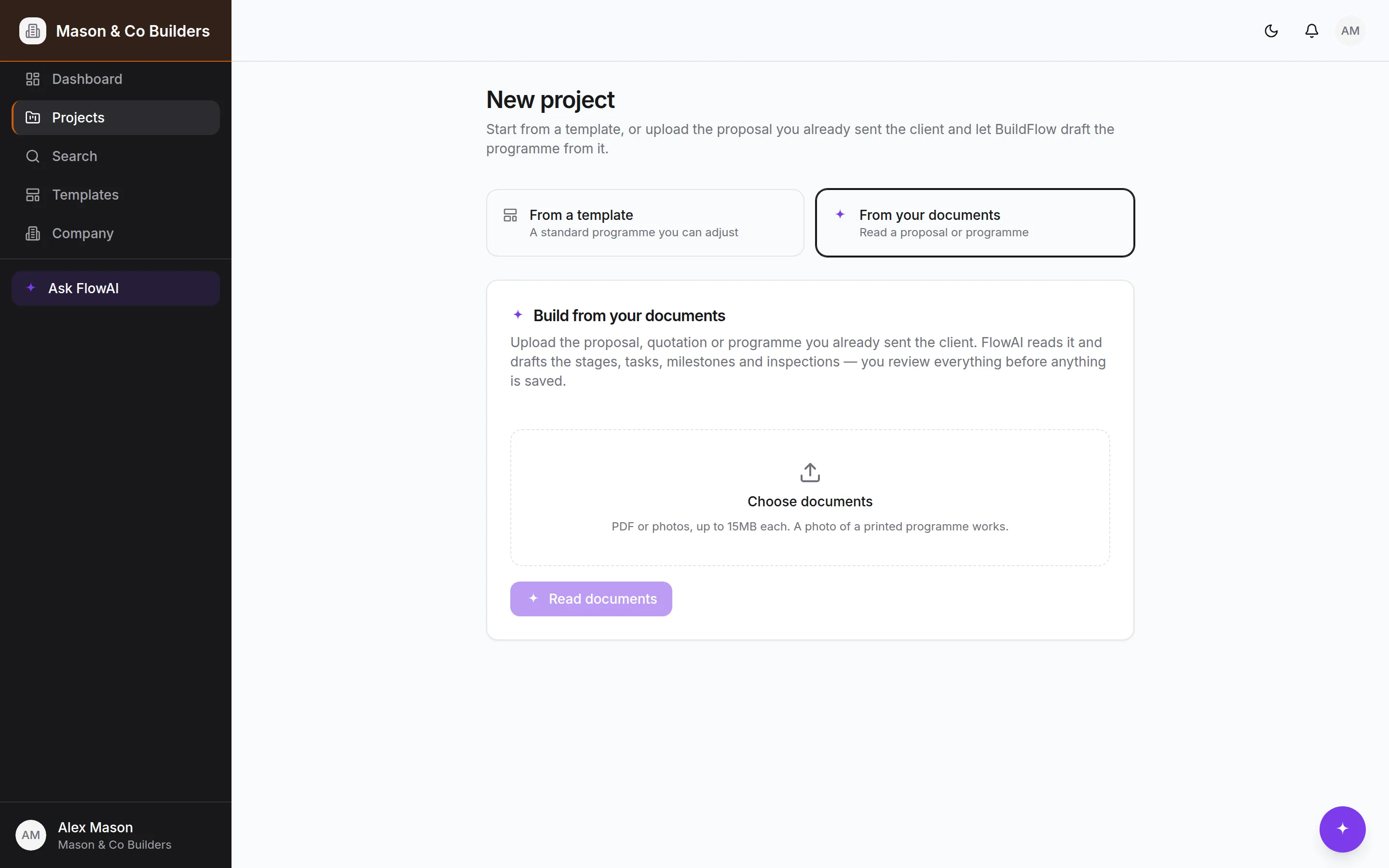
Upload your proposal, quote or programme — PDF or photos — and FlowAI drafts the stages, tasks, milestones and inspections. You edit the draft before anything is created.
Pinned wherever you are
One tap in the bottom-right corner of any screen opens FlowAI over the page you're on, already scoped to that project. Expand it full-screen when the answer is a long one.
Your proposal in. A working programme out.
Most builders already have the job written down — a quote, a schedule of works, a programme from the architect. Upload it and FlowAI reads it into a draft project: stages with dates, tasks under each one, milestones and the building-control inspections that go with the work described.
You get the draft as an editable form, not a fait accompli. Change what it got wrong, delete what you don't want, then create the project. Nothing is written to your account until you press the button.
- PDFs read natively, including scanned ones
- Photographs of a printed programme work too
- Every field editable before the project is created
- The extraction is billed against the same monthly budget
Six reasons it's safe to let near a live job
An assistant that can change your programme has to be built for the times it gets something wrong, not just the times it doesn't.
It never writes without asking
A change is a proposal, and the card names the record as the database has it — resolved from the id, not from what FlowAI thought you meant. A task matched wrongly is obvious before it lands rather than after.
It can't exceed your own access
Every lookup and every change runs on your session, so the database decides what's allowed. A client asking to complete a task is refused by the database, not by a prompt telling the model to behave.
Some things are deliberately not tools
Deleting, invitations, role changes, plan changes and document approvals are not things FlowAI can propose at all. Those stay decisions a person makes in the interface.
It runs to a budget you set
Each request is measured, not estimated, and billed against a monthly cap on your account. Past the cap FlowAI stops rather than carrying on. You can raise it, lower it, or turn it off.
It can't spiral
A single question has a token ceiling across all its steps, and a model repeating the same search is stopped instead of running it again. A stuck conversation costs pennies and says so.
Answers are labelled as answers
Every reply carries a reminder that it comes from project data and can be wrong. FlowAI is there to save you looking things up, not to be believed without checking.
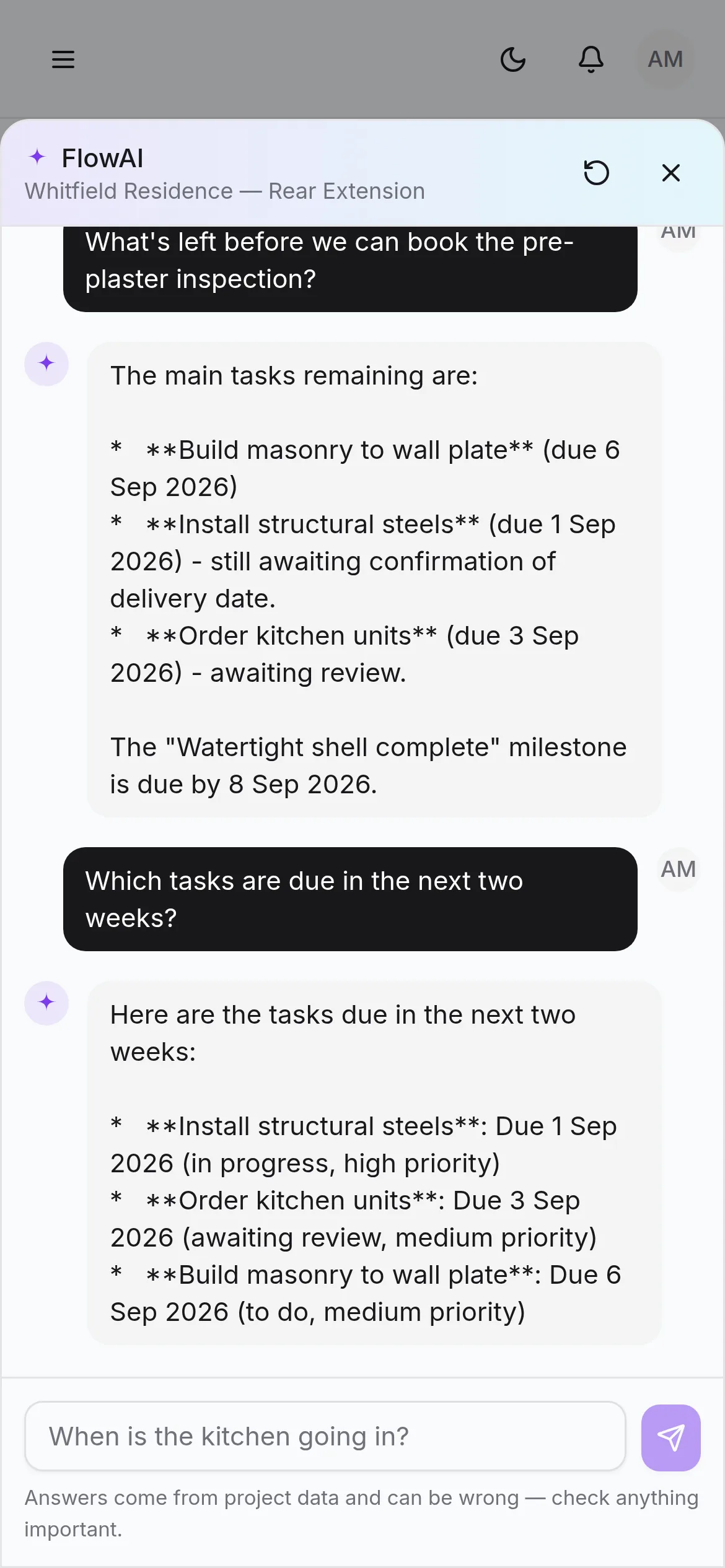
A question you'd otherwise have to ring the office about
The same assistant, pinned to the same corner, on a phone in the yard. Ask what the spec said, what the client approved, or what the inspector wanted last time — and get it back without leaving the page you're on or ringing anybody.
Start freeFlowAI is a Pro feature. The free plan runs a whole job without it.